

Overview
The Akool Streaming Avatar SDK provides a generic JavaScript SDK for integrating Agora RTC streaming avatar functionality into any JavaScript application. This TypeScript-supported SDK enables programmatic control of avatar interactions with real-time video streaming capabilities. Key Features:- Easy-to-use API for Agora RTC integration
- TypeScript support with full type definitions
- Multiple bundle formats (ESM, CommonJS, IIFE)
- CDN distribution via unpkg and jsDelivr
- Event-based architecture for handling messages and state changes
- Message management with history and updates
- Network quality monitoring and statistics
- Microphone control for voice interactions
- Chunked message sending for large text
- Automatic rate limiting for message chunks
- Token expiry handling
- Error handling and logging
Package Information
- NPM Package: akool-streaming-avatar-sdk
- GitHub Repository: akool-rinku/akool-streaming-avatar-sdk
- Current Version: 1.0.6
- License: ISC
Prerequisites
- Get your Akool API Token from Akool Authentication API
- Basic knowledge of JavaScript and HTTP Requests
- Modern browser with WebRTC support
Browser Support
The SDK requires a modern browser with WebRTC support, including:- Chrome 56+
- Firefox 44+
- Safari 11+
- Edge 79+
- Opera 43+
Installation
NPM (Node.js/Modern JavaScript)
CDN (Browser)
Quick Start
1. HTML Setup
Create a basic HTML page with a video container:2. Basic Usage with Modern JavaScript/TypeScript
3. Browser Usage (Global/IIFE)
4. Quick Demo Result
After following the setup, you’ll have a working streaming avatar with real-time video and chat capabilities: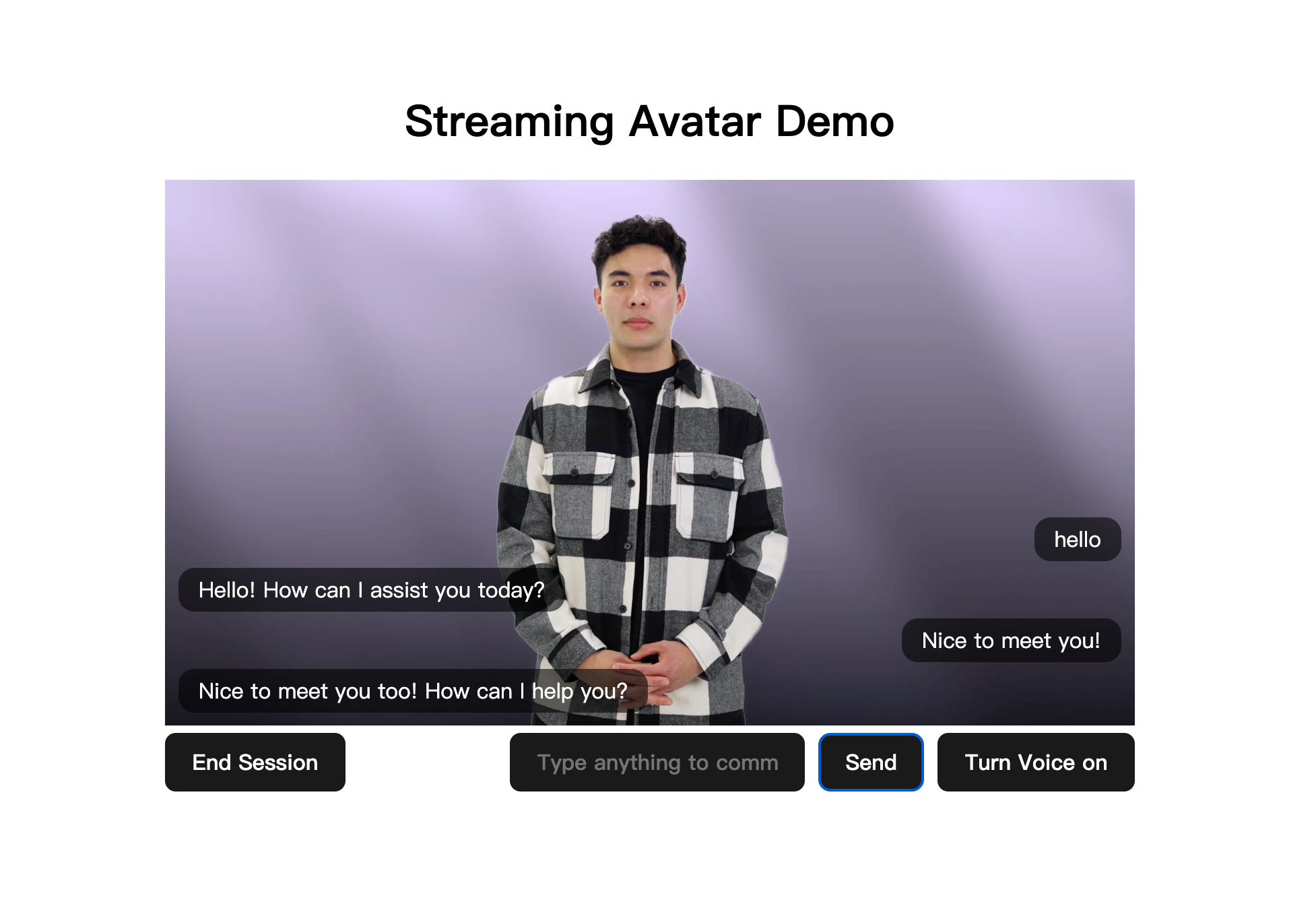
Complete Working Example
This section provides a fully runnable demo you can copy and run in under 5 minutes. It includes a Node.js backend that securely proxies Akool API calls (keeping your API key server-side) and a browser frontend using the SDK via CDN.Project Structure
Backend: server.js
This minimal Node.js server does two things:- Proxies session create/close requests to the Akool API (so your API key never reaches the browser)
- Serves the static frontend files
Frontend: index.html
Frontend: main.js
Run the Demo
1
Create the project folder
Create a folder (e.g.
sa-demo/) and place the three files above inside it: server.js, index.html, and main.js.2
Set your API key and start the server
AVATAR_ID to use a different avatar (default: dvp_Tristan_cloth2_1080P).3
Open in browser
Visit http://localhost:3100 and click Start Session. The avatar video will appear, and you can type messages or use the microphone to talk.
This demo requires no npm install - the backend uses only Node.js built-in modules, and the frontend loads the SDK from CDN.
Next Steps
- Complete API Reference - Explore all available methods and events
- Best Practices Guide - Learn secure implementation patterns
- Create Live Avatar Session - Backend session creation
- Error Codes Reference - Handle errors effectively